
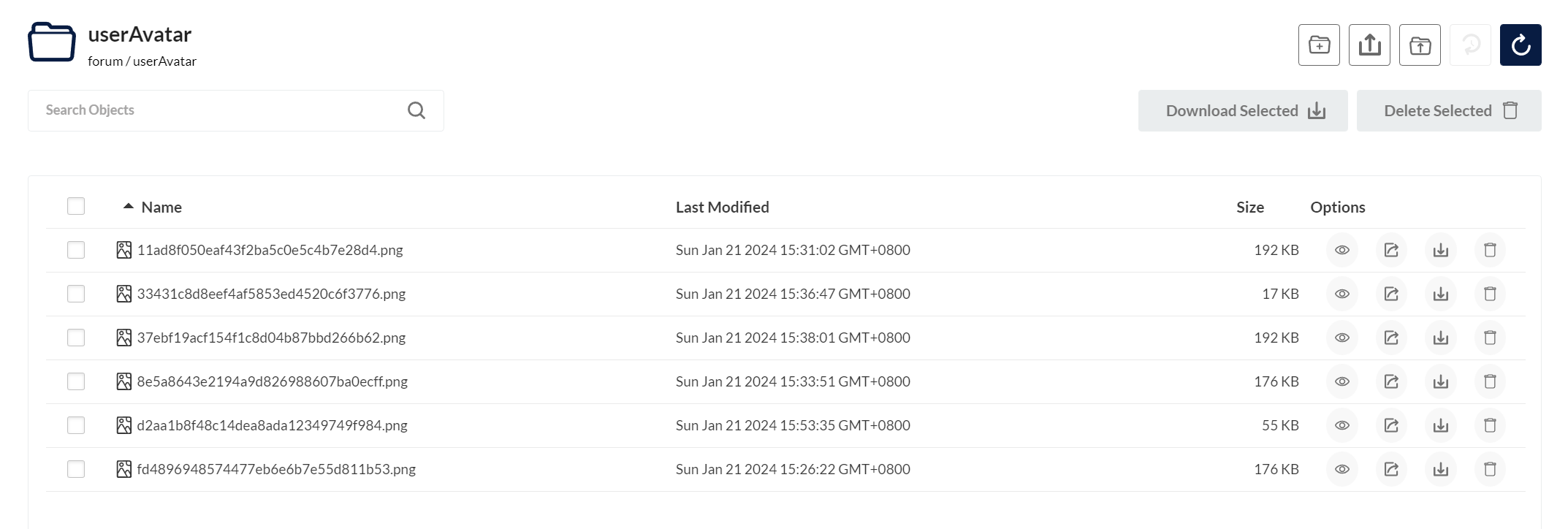
使用Minio上传和下载图片资源,注意这里:<font color=”#ff0000″>用户头像是在/userAvatar路径下</font>
总结:
- <font color=”#ff0000″>尽量不要使用路径参数,容易与springboot产生歧义</font>
- <font color=”#9bbb59″>如果你是用了Rebel热重载类,springSecurity的配置可能不生效,请正常重启后端服务</font>
- 请求图片接口乱码:在response中设置
response.setContentType("image/png");即可
springSecurity 配置了放行 , 但是还是被拦截了
 authorizeHttpRequests(authorizationManagerRequestMatcherRegistry -> {
                    authorizationManagerRequestMatcherRegistry
                            .requestMatchers("/api/image/*").permitAll()
                            .requestMatchers("/api/auth/**", "/error").permitAll()
                            // 对于其他所有请求,需要进行身份验证
                            .anyRequest().authenticated();
                })

可以看到访问
http://localhost:8080/api/image/userAvatar/11ad8f050eaf43f2ba5c0e5c4b7e28d4.png还是被拦截了
对应的controller:
@RestController
@Slf4j
@RequestMapping("/api/image")
public class ImageController {
    @Resource
    ImageService imageService;

    @PostMapping("/avatar")
    public void uploadAvatar(@RequestParam("file") MultipartFile avatar,
                                         @RequestAttribute(Const.ATTR_USER_ID) int userId) {
        //上传头像逻辑
    }

    @GetMapping("/{imageName}")
    public RestBean<String> getImage(HttpServletResponse response,@PathVariable String imageName){
        return imageService.getImage(response,imageName);
    }
}
这里访问没有权限,当访问http://localhost:8080/api/image/userAvatar/11ad8f050eaf43f2ba5c0e5c4b7e28d4.png时,springboot会认为访问的是 /api/image/userAvatar/ 接口,而不是放行的/api/image/ 接口
到这里就比较清楚了,把路径参数改成普通的get参数
取消路径参数 修改为普通get参数
修改后controller:
@GetMapping("/get")
public void getImage(HttpServletResponse response,@RequestParam String imageName){
    imageService.getImage(response,imageName);
}
接口乱码
http://localhost:8080/api/image/get?imageName=userAvatar/11ad8f050eaf43f2ba5c0e5c4b7e28d4.png
OK也是成功地访问了,但是请求后出现乱码
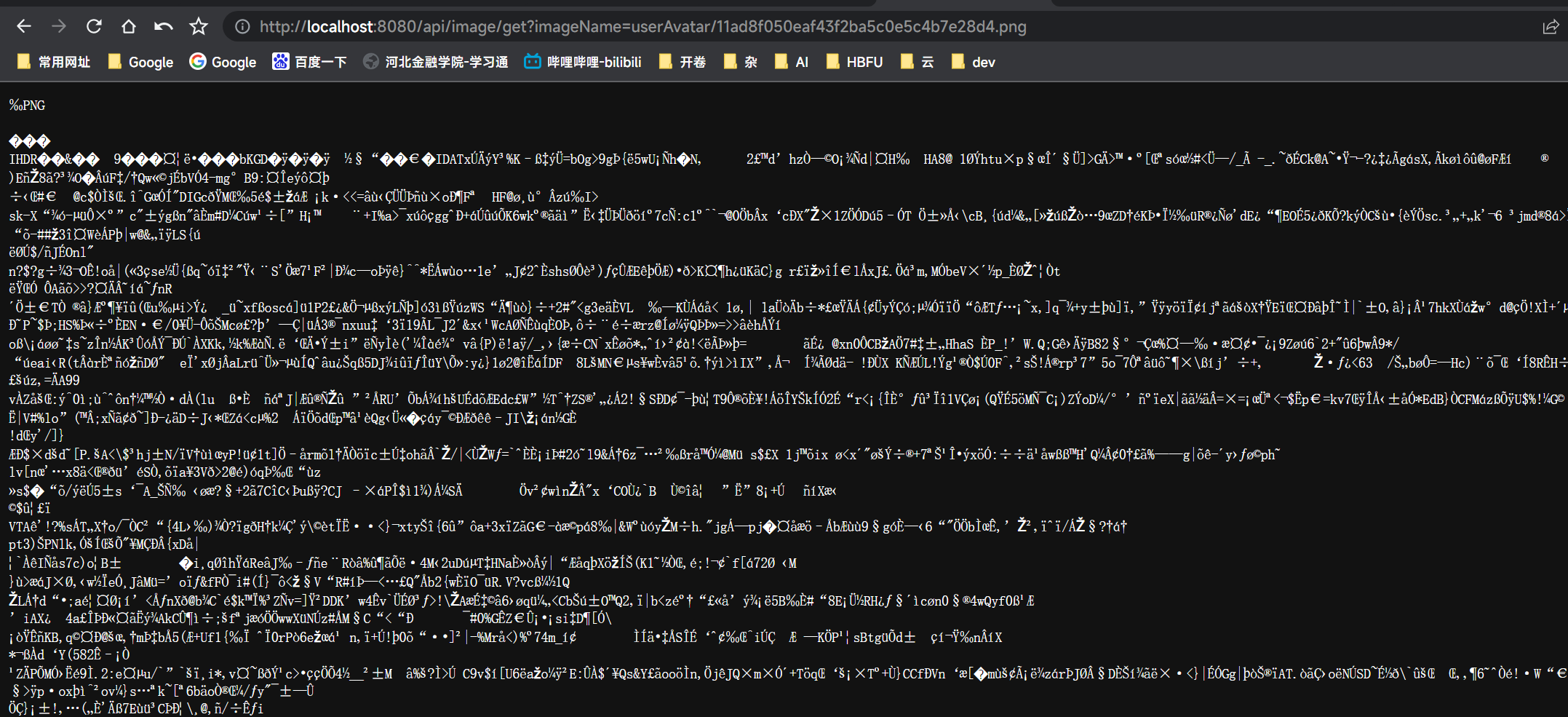
在response中设置
response.setContentType("image/png");即可
 try (ServletOutputStream outputStream = response.getOutputStream();) {
            GetObjectResponse imageResponse = minioClient.getObject(args);
//            response.setHeader("Cache-Control", "max-age=2592000");
            response.setContentType("image/png");
            IOUtils.copy(imageResponse, outputStream);
        } catch (Exception e) {
完整代码
  @Override
    public void getImage(HttpServletResponse response, String imageName) {
        if (imageName.length() <= 13) {
            response.setStatus(404);
            return;
        }
        GetObjectArgs args = GetObjectArgs.builder()
                .bucket(BUCKET)
                .object(imageName)
                .build();
        log.info("getImage :{}", args);
        try (ServletOutputStream outputStream = response.getOutputStream()) {
            GetObjectResponse imageResponse = minioClient.getObject(args);
//            response.setHeader("Cache-Control", "max-age=2592000");
            response.setContentType("image/png");
            IOUtils.copy(imageResponse, outputStream);
        } catch (Exception e) {
            log.error("传输过程中出现错误:" + e);
            response.setStatus(500);
            return;
        }
        response.setStatus(200);
    }



Interesting read! Basic strategy’s all about minimizing the house edge, right? Seeing platforms like bigbunny ph slot cater to local players with easy access is smart. Good security is key for any online gaming experience, too!
Smart bankroll management is key, especially with so many options now! Seeing platforms like JLJL55 offer diverse games-slots, live casino-highlights the need for disciplined play. Check out the jljl55 link for a wide range of choices, but always gamble responsibly!
Excellent analysis of Spring Security path matching issues! Your solution of converting path parameters to query parameters is spot-on. This reminds me of similar routing challenges we’ve solved in gaming platform architecture at jilibb. The content type fix for image responses is also a crucial detail often overlooked. Great troubleshooting approach!
It’s fascinating how easily accessible online gaming has become, especially in the Philippines! Seeing platforms like 693club app casino prioritize quick registration & multiple payment options (like GCash!) really speaks to user experience. Understanding probability is key, though! 🤔
test